
Boost Productivity with URLOpener.link
This article provides an in-depth overview of the features, benefits, and practical applications of the web-based utility found at https://urlopener.link. By examining how this tool allows users to bulk open multiple links in new tabs simultaneously, we will explore its impact on daily workflow, its unique functionalities such as the built-in delay timer and drag-and-drop file support, and how it successfully addresses the common digital bottleneck of repetitive manual link management.
In the modern digital age, efficiency is paramount. Whether you are a digital marketer, an academic researcher, a software tester, or simply an avid internet user, navigating the web often involves handling dozens, if not hundreds, of uniform resource locators (URLs) on a daily basis. The traditional method of managing these links involves manually highlighting, copying, opening a new browser tab, pasting the link into the address bar, and pressing enter. When multiplied by twenty or fifty links, this process becomes incredibly tedious, time-consuming, and prone to human error. The repetitiveness of this task not only drains valuable time but also breaks the user's concentration, pulling them away from the actual work of reading, analyzing, or interacting with the web pages themselves. This is precisely the problem that bulk URL opening tools were created to solve, providing a streamlined approach to internet navigation.
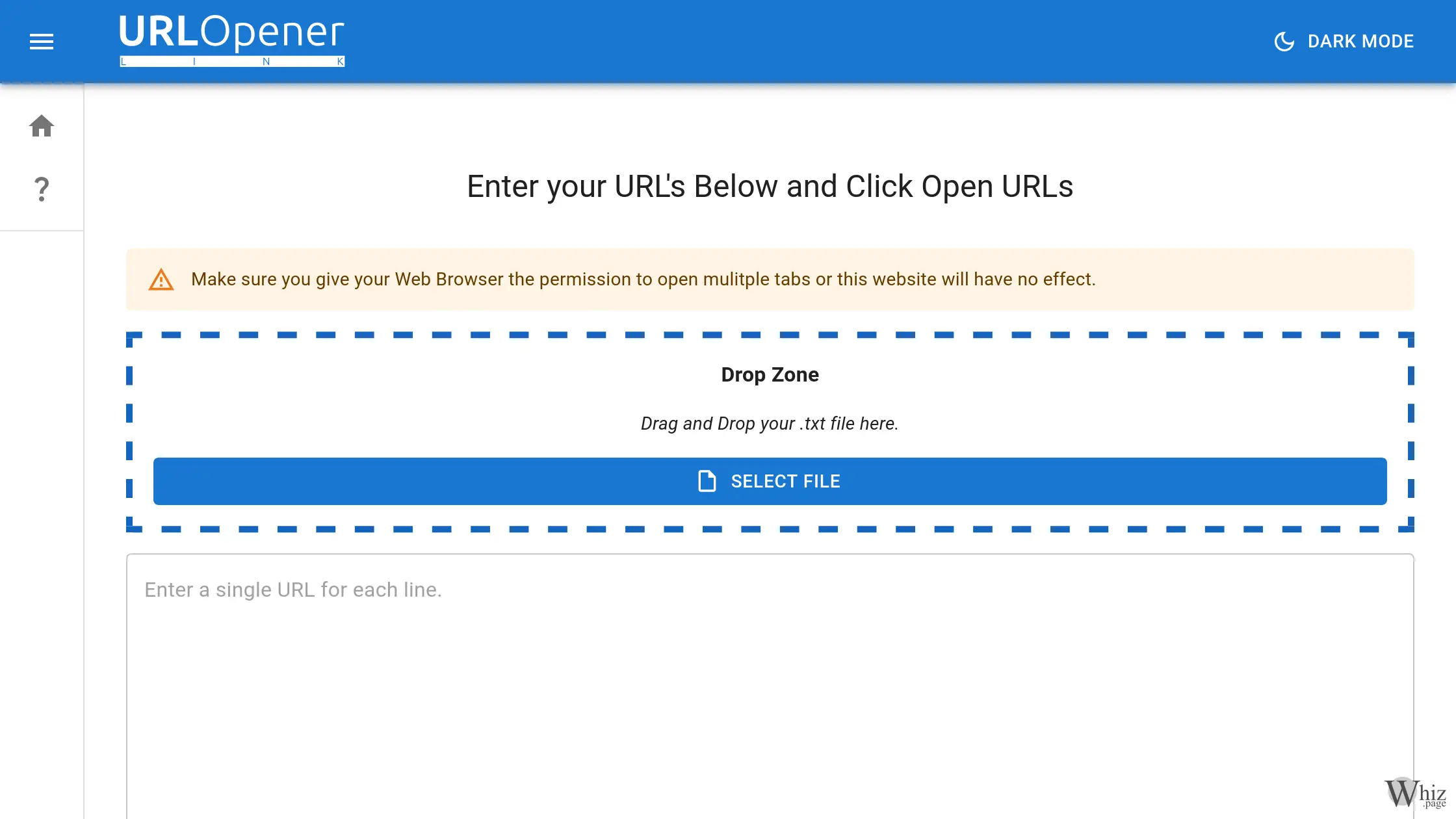
URLOpener.link emerges as a highly effective solution to this modern dilemma. At its core, it is a specialized, web-based platform designed with a single, highly focused purpose: to allow users to open a list of multiple URL links in new browser tabs simultaneously with just the click of a button. By eliminating the manual steps associated with link opening, the tool fundamentally transforms how users interact with large datasets of web addresses. The interface is intentionally clean and user-friendly, completely free of unnecessary clutter or complicated settings. Users are presented with a straightforward text area where they can paste their list of links, ensuring that each URL is on a separate line, and execute the bulk opening process instantly.
One of the standout features of this platform is its versatile input methods. While copying and pasting into the main text area is the most direct approach, the tool also caters to users who manage their links through external files. It features a convenient drop zone that supports drag-and-drop functionality for standard text files. This means that users who maintain extensive lists of references, daily reading materials, or project-specific web sources saved on their local storage devices can simply drag their document directly onto the webpage. The site will parse the file and populate the list automatically. This seamless integration between local file management and web-based execution significantly enhances the overall user experience.
Another critical component of URLOpener.link is its highly practical delay option. When a user attempts to open a massive batch of websites simultaneously, the sudden influx of network requests can overwhelm both the local web browser and the computer's central processing unit. Web browsers require time and system memory to download the various assets associated with modern websites, including high-resolution images, complex programming frameworks, and styling sheets. Opening too many heavy pages in the exact same millisecond can lead to browser instability, unresponsiveness, or even a complete system crash. To mitigate this risk, the tool allows users to specify a delay, measured in seconds, between each URL request. By staggering the opening of new tabs, the computer is given adequate time to process and load each website's assets smoothly, ensuring a stable and crash-free browsing experience regardless of the volume of links being processed.
Privacy and data security are also paramount considerations for any web-based tool, and this platform handles user data with commendable responsibility. A common concern among users is whether the extensive lists of URLs they are processing—which may contain sensitive information, proprietary research, or private client data—are being monitored, recorded, or stored on external servers. This platform operates entirely within the user's web browser environment. While it does utilize the browser's internal memory to save links locally for the user's convenience during a session, it explicitly guarantees that it does not transmit or store these links on any remote servers or third-party storage devices. This commitment to local, client-side processing ensures that user privacy remains completely secure at all times.
The impact of utilizing such a tool on professional workflow cannot be overstated. By drastically reducing the repetitiveness of manual link entry, users experience an immediate increase in their operational speed. For optimization specialists who need to audit dozens of backlinks, for instance, this tool turns a thirty-minute chore into a five-second automated task. Similarly, social media managers checking various campaign URLs or researchers reviewing academic journals can save countless hours over the course of a month. The ability to save lists of links in simple text files and reuse them at later dates further streamlines this process, allowing professionals to create standardized, repeatable workflows for their daily internet tasks and data processing routines.
To maximize the benefits of this bulk opening utility, users must adhere to a few best practices. First and foremost, modern web browsers are equipped with built-in pop-up blockers designed to prevent malicious websites from spamming users with unwanted windows. Because this tool functions by commanding the browser to open multiple new tabs, the browser's security protocols will naturally flag and block this action by default. Therefore, users must navigate to their browser settings and explicitly grant the website the necessary permissions to open multiple tabs or pop-ups. Without this crucial configuration step, the website's core functionality will be completely neutralized. Furthermore, users should be mindful of their own hardware limitations; utilizing the delay feature is highly recommended for older computers or when processing lists that exceed twenty or thirty links at a single time to maintain maximum system stability.
In conclusion, the internet is a vast repository of information, and navigating it efficiently requires the right set of specialized utilities. The platform provides an exceptionally fast, reliable, and secure method for managing large quantities of web addresses at once. Through its intuitive user interface, drag-and-drop file support, essential delay functionality, and strict adherence to data privacy, it stands out as an indispensable asset for anyone looking to optimize their digital workflow. By automating the tedious process of opening new tabs, it allows individuals to focus their time, effort, and cognitive energy on the actual content that matters, rather than the monotonous, mechanical process of getting there.