
Unzipper.app Complete Guide
This article provides a comprehensive overview of Unzipper.app, an innovative online utility designed to manage compressed files directly within your web browser. Throughout this guide, we will explore the platform's core capabilities, including how to create, open, and edit ZIP files effortlessly without relying on traditional desktop applications. We will also examine the numerous advantages of using web-based extraction tools, delve into the platform's robust technical specifications and security features such as advanced encryption, and highlight practical use cases that demonstrate why this specific tool represents a significant leap forward in cross-platform file management and digital organization.
The concept of file compression has been a fundamental aspect of digital computing for decades. As the volume of data generated by users continues to grow exponentially, the need to compress, archive, and transfer large sets of files efficiently has never been more critical. Traditionally, managing these archives required users to download, install, and maintain dedicated software applications on their local machines. While these desktop programs are powerful, they often come with drawbacks such as operating system compatibility issues, the need for administrative privileges to install them, and the simple inconvenience of cluttering a device with single-purpose applications. This is precisely the friction that modern, browser-based applications seek to eliminate, bringing powerful functionality directly to the user regardless of their hardware or operating system.
Enter Unzipper.app, a versatile and entirely web-based platform that revolutionizes the way users interact with compressed archives. Functioning as a comprehensive file archiver and extraction tool, this application allows users to handle their archiving needs directly through their web browser interface. By eliminating the prerequisite of downloading software, the platform ensures that anyone with an internet connection can instantly access top-tier file management capabilities. Whether you are using a high-end desktop computer, a lightweight laptop, a tablet, or a smartphone, the website provides a seamless and uniform experience that adapts perfectly to your specific digital environment.
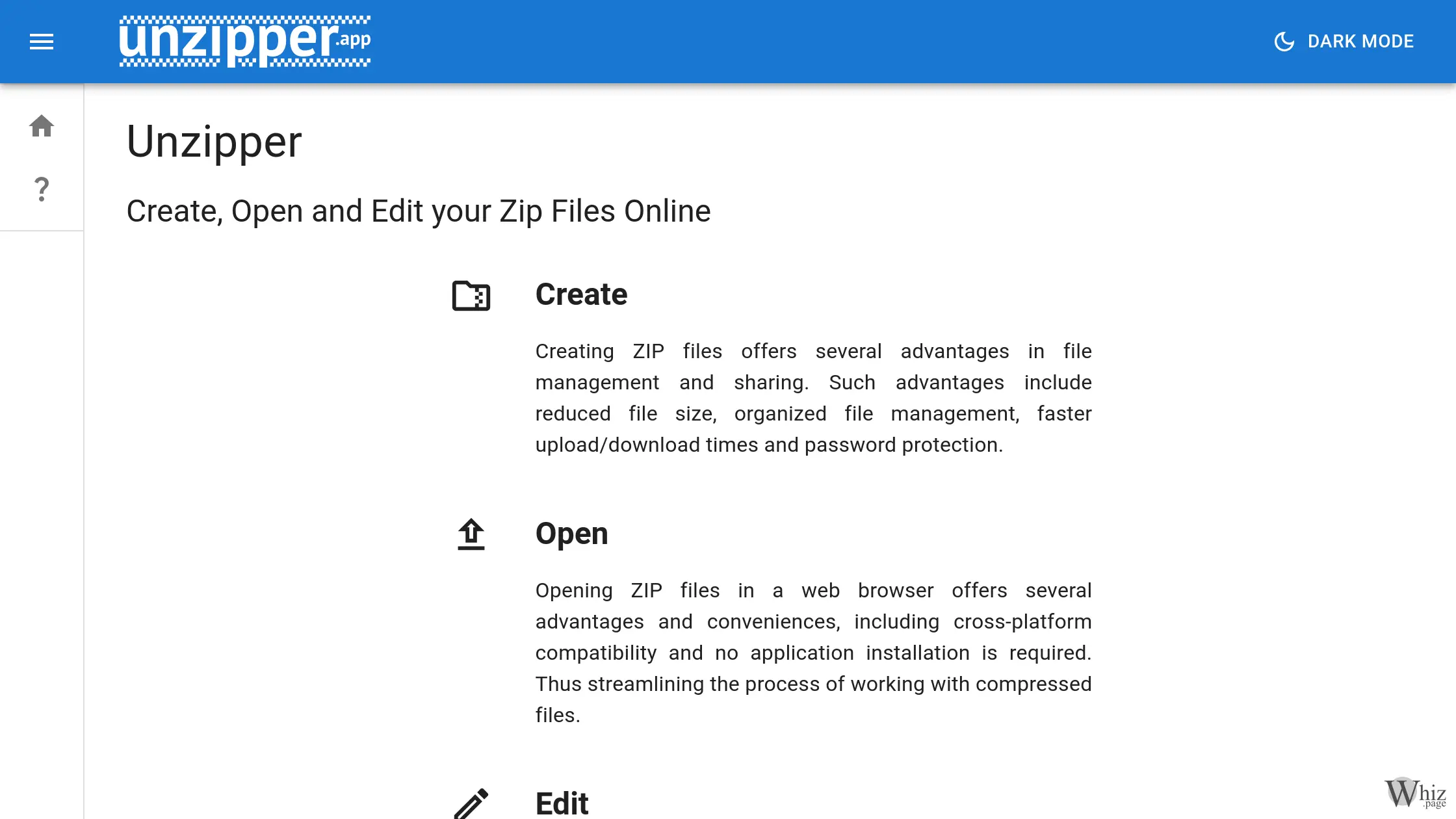
One of the primary features of the platform is the ability to create new ZIP files from scratch. Creating ZIP files offers a multitude of advantages in both personal and professional file management scenarios. By compressing multiple files and folders into a single, unified archive, users benefit from significantly reduced overall file sizes. This reduction is crucial when dealing with storage constraints or when preparing files for email transmission, where strict attachment size limits are often enforced. Furthermore, bundling related files together into a single ZIP archive drastically improves organizational efficiency, ensuring that complex project folders, collections of photographs, or extensive document repositories are kept intact and orderly during transfer, leading to vastly faster upload and download times.
In addition to basic creation, the platform goes above and beyond by offering advanced security features during the archiving process. When creating an archive, users have the ability to protect their sensitive information using AES (Advanced Encryption Standard). This military-grade encryption ensures that even if a file is intercepted or falls into the wrong hands, the contents remain completely inaccessible without the correct password. Furthermore, users can attach custom comments to individual files within the archive. This highly specific feature is incredibly useful for providing context, instructions, or metadata directly alongside the compressed files, acting as a built-in documentation system that travels effortlessly with the data.
Equally important to creating archives is the ability to open and extract them, and the platform handles this process with remarkable ease. Opening ZIP files in a web browser offers unparalleled convenience, primarily because of its absolute cross-platform compatibility. An archive created on a Windows machine can be instantly opened and extracted on a macOS device, a Linux distribution, or even a mobile operating system like iOS or Android without missing a beat. When you upload a compressed file to the platform, the service essentially unpacks it and restores it to its original state within the secure browser environment. This allows users to immediately access, view, and utilize the contained documents, images, videos, or executable programs without jumping through the hoops of traditional software installation.
What truly sets the application apart from rudimentary online extraction tools is its comprehensive editing capability. Most online tools only allow a binary operation: you either upload a file to extract it completely, or you compress files to download them. However, this application allows users to edit their ZIP files dynamically directly within the web browser. It effectively operates as a fully-fledged file management software application housed within a web page. Users can actively interact with the contents of an archive by renaming specific files, moving documents between newly created folders inside the ZIP, and deleting unnecessary files or directories before downloading the final product. This granular control saves an immense amount of time, as it prevents the tedious cycle of extracting a whole archive to a local drive, making a minor alteration, and then meticulously recompressing the entire folder.
To maintain performance and ensure stability within a browser-based environment, the developers have established clear technical parameters. The tool supports a maximum file size limit of 2.15 GB, or strictly 2.00 GiB (equivalent to 2,147,483,648 bytes). In the context of everyday digital tasks, this is an exceptionally generous allowance. Most document collections, extensive photo albums, and even moderately sized video presentations fall comfortably well below this two-gigabyte threshold. By setting this specific boundary, the platform guarantees that the browser memory is not overwhelmed, thereby providing a smooth, responsive, and crash-free experience for the end user while still accommodating the vast majority of practical, real-world archiving requirements.
The advantages of utilizing such a service extend to a wide variety of practical use cases across different user demographics. For business professionals, the ability to quickly encrypt and compress confidential reports or financial documents before sending them to clients is a vital security measure. The platform allows them to execute this task securely from any workstation, even when traveling or using a borrowed computer where software installation is strictly prohibited. For students and educators, compiling numerous assignments, research papers, and reference materials into a single, organized, and easily distributable archive simplifies the submission and grading process. Furthermore, casual users who occasionally receive compressed files via email or messaging applications can effortlessly access the contents on their mobile devices without needing to search through app stores for a reliable, ad-free extraction application.
The rise of cloud computing and sophisticated web applications has fundamentally shifted how we view software. We are no longer bound to the physical hardware of our local machines or the limitations of our chosen operating systems. Web utilities represent the democratization of software, where complex processing is handled cleanly and efficiently through standardized web protocols. By offering a clean, intuitive, and highly functional interface, the developers of this archiving tool have successfully translated a traditionally desktop-bound task into a modern, accessible format. The inclusion of multi-language support, including English, Spanish, French, and German, further emphasizes the global accessibility and user-centric design philosophy behind the platform.
In conclusion, managing digital clutter and ensuring the secure, efficient transfer of data are ongoing challenges in our increasingly connected world. Tools that simplify these processes without compromising on features or security are invaluable assets to our daily digital routines. By providing a comprehensive suite of tools to create, open, edit, and encrypt archives directly from the browser, the application stands out as an exceptional utility. Its combination of zero-installation convenience, robust AES security, generous file size limits, and granular editing capabilities ensures that it meets the demands of modern users. Whether you are attempting to bypass restrictive corporate IT policies, save storage space on a mobile device, or simply streamline your file-sharing workflow, this web-based archiver delivers a highly effective, elegant, and user-friendly solution.